Create an Account
Home

About Zarea

Shaping the future of trade and commerce with Zarea.

Business with ZareaShop Now

Investor Relations

Access investor information, financial reports, and governance details.

ServicesDaily PriceNews & UpdatesZarea AIContact Us
Zarea Logo
Create an AccountLogin

Menu

Over 10,000+ Users

Built to Bridge the Gap Between Buyers and Suppliers.

Menu background

Your Cart

Your cart is empty

Add products to your cart to see them here.

Continue Shopping
Zarea - Pakistan's Largest B2B Commodities Platform

Zarea is Pakistan's largest B2B commodities platform, pioneering the future of commodity trading and distribution in Pakistan

QR Payment

QR Code for Payment
  • About Us
  • Business with Zarea
  • Services
  • Become a Supplier
  • Credit
  • Investor Relations
  • Shop Now
  • News & Updates
  • Zarea AI
  • Careers
  • Contact Us

Registered Office

Zarea Limited, Delta 6 Office No. 6011, Lahore Pakistan.

Drop us a line

info@zarea.com

Contact us

WhatsApp Support
+92 325 7111222

Investor Relations:
+92 42 32176455

Social Links

Zarea Mobile App

Pakistan's Leading B2B Commodity App

Download on the App StoreGet it on Google Play
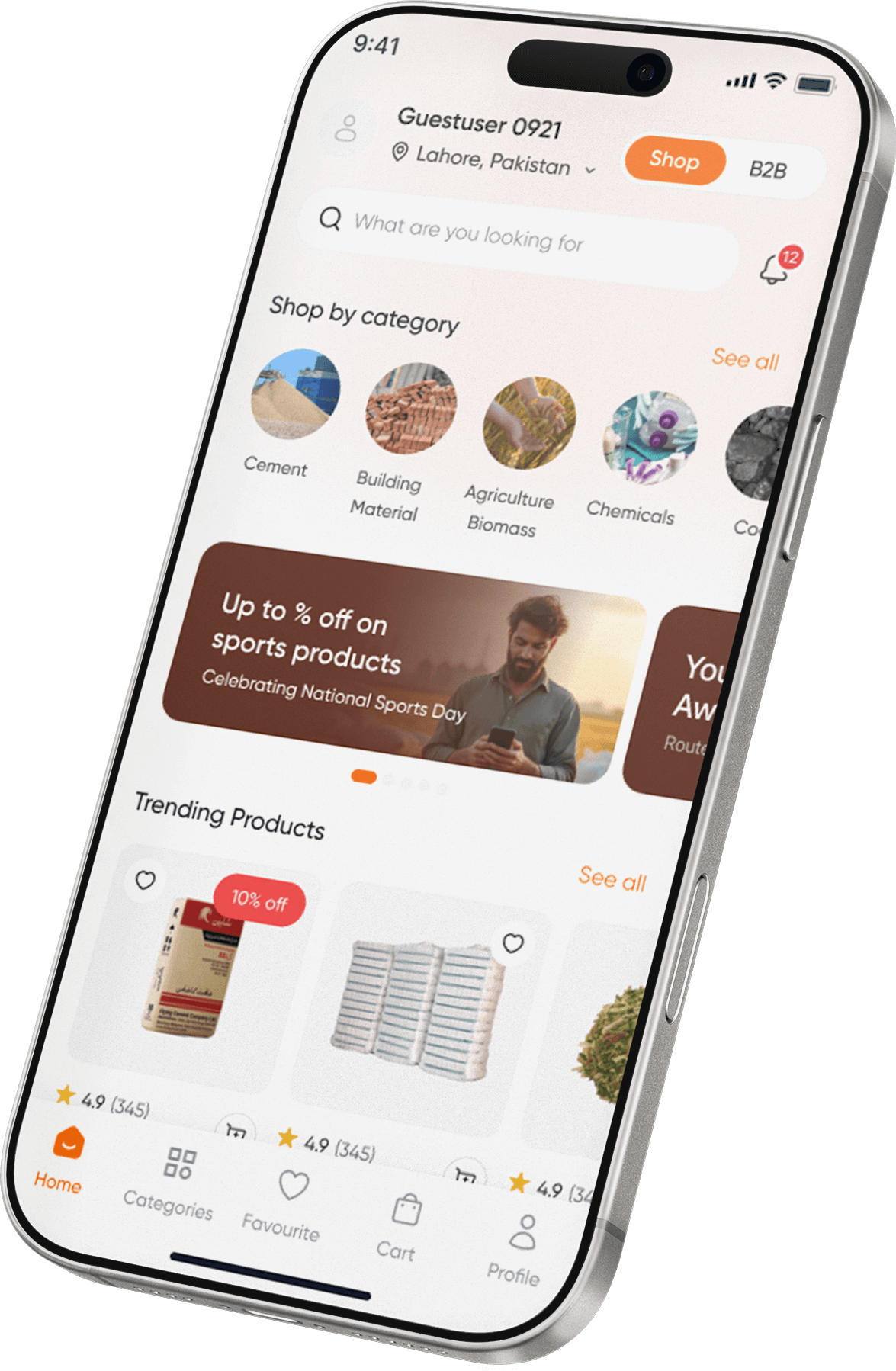
Zarea Mobile App Interface Preview
  • Terms & Conditions
  • Privacy Policy

© 2026 Zarea. All rights reserved.

Ask Zarea AIArrow RightContact Zarea on WhatsApp

Your Cart

Your cart is empty

Add products to your cart to see them here.

Continue Shopping
Home/News & Updates/How to Place Your First Order on Zarea: Step by Step Guide
B2BBlog3 min read17 Dec 2025

How to Place Your First Order on Zarea: Step by Step Guide

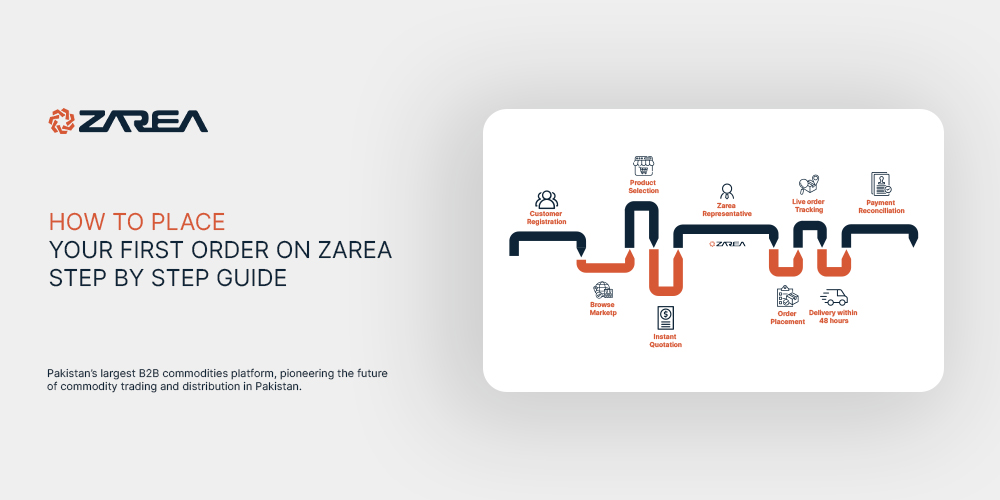
Welcome to the exciting world of Zarea shopping! Placing your first order on Zarea is a straightforward process.
Z
Zarea Limited
How to Place Your First Order on Zarea: Step by Step Guide

Introduction - How to Place Your Order on Zarea:

Welcome to the exciting world of Zarea shopping! Whether you’re new to online shopping or looking to try a new platform, placing your first order on Zarea is a straightforward process. This guide will walk you through each step, from creating an account to tracking your order, ensuring a smooth and hassle-free experience. Let’s get started!

Step 1: Create an Account

Start by making a Zarea account. Here’s what to do:

  • Visit Zarea’s Homepage: Open your browser and navigate to Zarea’s website.

  • Sign Up: Click the ‘Sign Up’ or ‘Register’ button at the top right of the homepage.

  • Enter Your Details: Complete the registration form with your name, email, and a strong password.

  • Confirmation: You’ll get a confirmation email. Click the link inside to activate your account.

Your Zarea account is ready to go!

Step 2: Navigate the Website

Get to know the Zarea website. Browse through different categories or use the search function to find specific items.

Step 3: Search and Select Product

Here’s how to find what you need:

  • Use the Search Bar: Directly type what you’re looking for into the search bar.

  • Browse Categories: Look through categories for ideas or specific types of items.

  • Choose a Product: Click on an item to see more details like product descriptions and customer reviews.

Step 4: Add to Cart

Before you add an item to your cart, select your city from a dropdown to check prices and availability in your area. Then, add the item to your cart.

Step 5: Review Your Cart

  • Access Your Cart: Click on the cart icon to see what you’ve added.

  • Make Adjustments: Change quantities or remove items as needed.

  • Apply a Coupon: If you have a promo code, enter it to get a discount.

Step 6: Proceed to Checkout

Zarea offers different shipping options:

  • Standard Shipping: Regular delivery times.

  • Priority Shipping: Quicker delivery.

  • Scheduled Shipping: Pick a specific delivery date.

When you’re ready, click ‘Checkout’.

Step 7: Finalize Your Purchase

  • Change Delivery Address: You can change the address during checkout if needed.

  • Select a Payment Method: Options include bank transfer, cash on delivery, or using Bank Alfalah.

  • Review and Confirm Your Order: Double-check everything before you finalize your purchase.

Step 8: Track Your Order

You’ll get a confirmation email with tracking details. Follow these to know when your order will arrive.

Need Help? Contact Our Customer Support

If you run into any problems or have questions, reach out to our customer support through the WhatsApp button at the bottom right of our website.

By following these steps, you can easily place your first order on Zarea. Enjoy your shopping!

B2B ecommerceB2B ordering systemHow to Place Your First Order on ZareaWholesale B2B website

On this page

No headings found
Share with your friends!

Zarea Mobile App

Pakistan's Leading B2B Commodity App

Zarea mobile app

Related News

View all →
Suppliers in Pakistan
digital commodity marketb2b supply chain platformWholesale B2B website

Suppliers in Pakistan

Find trusted suppliers and compare wholesale prices

Z
Zarea Limited6 Aug 2026
Transforming B2B E-Commerce Market and Commodities
b2b e-commerce marketb2b e-commerceb2b e-commerce strategyB2B marketplace platforme-commerce market

Transforming B2B E-Commerce Market and Commodities

B2B e-commerce market is the electronic trade, sale and purchase of goods between two or more businesses in a marketplace.

Z
Zarea Limited17 Dec 2025
Digital B2B Platforms Are Revolutionising Construction Industry
what are b2b platformstop b2b platformsbiggest b2b platformsbest b2b platformsb2b platforms in pakistanb2b platforms

Digital B2B Platforms Are Revolutionising Construction Industry

Zarea is a b2b platforms designed intended to help wholesalers in locating new suppliers or customers in Pakistan.

Z
Zarea Limited2 Dec 2025
ZAREA MOBILE APPLICATION

Pakistan's Leading B2B Commodity App

From sourcing to delivery, Zarea simplifies your procurement lifecycle.

Download on the App StoreGet it on Google Play
Zarea Mobile App Screenshots
Mobile BackgroundDesktop Background